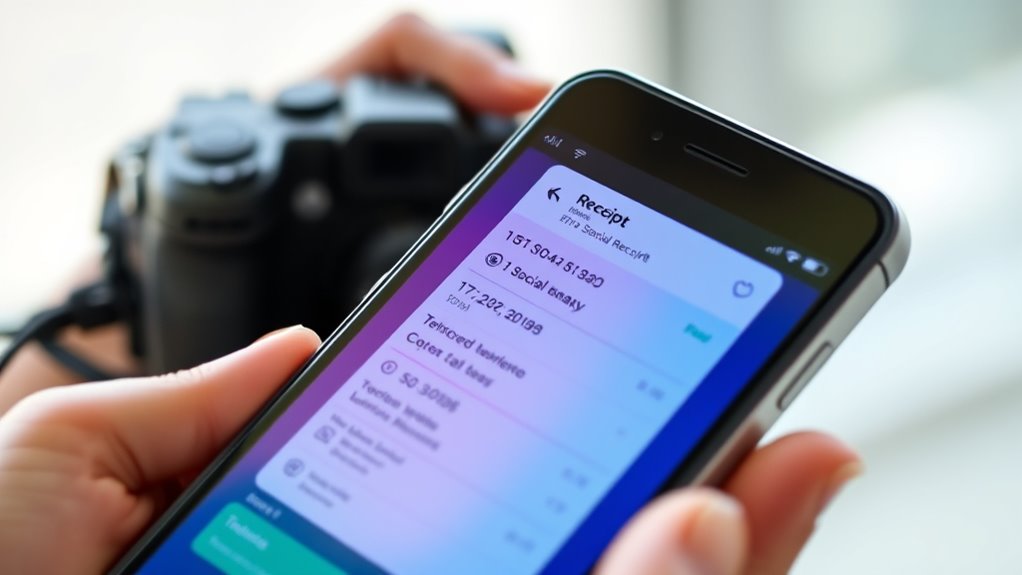

Social media receipts, like screenshots of your online chats or posts, are useful for capturing proof and understanding the context of digital interactions. However, it’s important to contemplate privacy and consent before sharing or saving such records. Respect others’ boundaries, avoid sharing without permission, and think about how your actions might impact trust. If you want to learn more about handling digital records responsibly and ethically, keep exploring these important principles.

Get gifts for the two of you delivered free — and shop member deals
- Fast, free delivery on millions of items
- Access to Prime Big Deal Days deals on October 6–7
- Prime Video, Amazon Music and more included
Key Takeaways
- Taking and sharing social media screenshots creates permanent records that can be used for accountability or documentation.
- Always consider whether capturing or sharing content respects privacy and obtains proper consent from involved parties.
- Providing context is crucial to prevent screenshots from being misinterpreted or taken out of context.
- Responsible screenshot use involves weighing the intent—whether for proof or malicious intent—and acting ethically.
- Recognizing the permanence of digital records emphasizes the importance of respectful, thoughtful handling of social media receipts.

Social media receipts are digital records of your online interactions, capturing everything from comments and messages to shared posts and activity logs. These records serve as proof of what was said or seen, making them powerful tools for documenting conversations or disputes. However, they also come with significant privacy concerns. When you capture a screenshot of someone’s post or message, you’re fundamentally creating a permanent record that can be shared beyond the initial context. This raises questions about consent and the boundaries of privacy, especially if you share the screenshot without permission. Many people feel uncomfortable knowing their words or images could be preserved and circulated, potentially taken out of context or used maliciously. This is why understanding screenshot ethics is vital. Respecting others’ privacy means considering whether it’s appropriate to take or share a screenshot at all. If you’re unsure, it’s best to ask for permission before capturing and distributing these digital receipts, especially if they involve sensitive or private information.
Using screenshots responsibly involves weighing the importance of the record against the potential impact on others. For example, sharing a screenshot to hold someone accountable for harmful behavior might be justified, but doing so to embarrass or manipulate someone crosses ethical lines. It’s fundamental to think about the intent behind sharing a social media receipt and whether it aligns with respectful communication. Also, be aware that even if you believe you have good intentions, the recipient might see your actions as invasive or intrusive, leading to damaged trust or conflict. The digital nature of social media receipts makes it easy to forget how permanent these records can be. Once shared, they can be saved, reposted, or altered, often without your knowledge or control. That’s why practicing good screenshot ethics isn’t just about legality; it’s about respecting others’ dignity and privacy. Additionally, understanding that digital records can be stored indefinitely emphasizes the importance of responsible behavior. If you decide to keep or share a social media record, do so thoughtfully, and always consider the potential consequences.
In the end, being mindful of privacy concerns and practicing ethical screenshot behavior helps foster trust and respect online. Remember, digital receipts aren’t just evidence—they’re reflections of real people and real relationships. Handling them with care ensures you stay within the bounds of respectful communication and avoid unnecessary conflicts or misunderstandings. Whether for personal, professional, or social reasons, always ask yourself if sharing a social media receipt aligns with your values and the respect you owe others. Doing so not only protects your integrity but also promotes a more considerate online environment.
screen recording and screenshot app
As an affiliate, we earn on qualifying purchases.
As an affiliate, we earn on qualifying purchases.
Frequently Asked Questions
Can Social Media Receipts Be Legally Binding?
Social media receipts generally aren’t legally binding on their own, but they can become evidence if they meet legal standards. You might use digital signatures or other verification methods to strengthen their credibility. If both parties agree and the receipt satisfies legal standards like authenticity and intent, it could be considered binding. Always remember, digital records need proper validation to hold up in court.
How Do I Verify the Authenticity of a Screenshot?
You can verify a screenshot’s authenticity through digital verification and metadata analysis. First, check the metadata for timestamps, device info, and editing history, which reveal if the screenshot is genuine. Be aware that metadata can be altered, so cross-reference with original sources or conversation logs. Digital verification tools can also help confirm whether the screenshot has been tampered with, giving you a clearer picture of its authenticity.
What Are the Privacy Implications of Sharing Receipts?
Sharing receipts can pose serious privacy risks, as they often contain personal or sensitive information. You might face consent challenges if others’ data is visible without their permission, leading to potential breaches of privacy. Always consider who’s in the receipt and whether they’ve agreed to sharing it. Before posting, think about the implications, and confirm you have explicit consent to avoid exposing private details and violating trust.
Are There Tools to Edit or Fake Social Media Receipts?
A picture is worth a thousand words, but beware—there are tools for photo editing and digital fakery that can fake social media receipts. These tools let you alter or create receipts that seem real, making it easy to deceive. Always question the authenticity of receipts you see online, as editing software can easily manipulate images, leading to misinformation or misuse. Stay vigilant; not everything you see is true.
How Can I Request Consent Before Sharing Someone Else’s Receipt?
You can request consent by directly asking the person involved, explaining how you’ll use the receipt. To protect their privacy, consider using digital watermarking to mark the receipt with their permission. Also, have them sign a consent form to formalize their approval. This approach guarantees transparency, respects their rights, and provides clear documentation of their permission before sharing any social media receipt.

Ailun Privacy Screen Protector iPhone 17e/16e/14/13/13 Pro, 2 Pack
- Pack Size: Includes 2 privacy screen protectors
- Device Compatibility: Fits iPhone 17e/16e/14/13/13 Pro 6.1 inch
- Protection Features: Scratch, scrape, bump resistant tempered glass
As an affiliate, we earn on qualifying purchases.
As an affiliate, we earn on qualifying purchases.
Conclusion
In today’s digital age, sharing social media receipts is common, but always consider privacy and consent. Did you know that 78% of people feel uncomfortable when their screenshots are shared without permission? By respecting others’ privacy and understanding the context, you help foster a more respectful online community. Remember, a simple conversation about consent can prevent misunderstandings and protect everyone’s digital footprint. Stay mindful and keep social media a positive space for all.
digital privacy and consent guidebook
As an affiliate, we earn on qualifying purchases.
As an affiliate, we earn on qualifying purchases.
secure screenshot storage device
As an affiliate, we earn on qualifying purchases.
As an affiliate, we earn on qualifying purchases.
Fall Picks
fall essentials
As an affiliate, we earn on qualifying purchases.